

01
Online payments
A hosted card field you drop into your checkout. Raw card data never reaches your servers, which is what keeps you in SAQ-A scope.

Establishing session
 Gateway v1

Payment gateway · v1
Scroll
How long a card-machine charge waits for the customer — the answer is the outcome, not a promise
Signed webhook events, deduplicated by id, retried with backoff
Supported terminal models, from countertop PIN pads to Tap to Pay on iPhone and Android
Sandbox and live, resolved from the key you present — never from a request
What we optimize for
Taking a payment is the easy half. The half that costs money is the timeout that charges a cardholder twice, the refund the bank quietly refuses, the chargeback whose deadline passes unnoticed, the terminal that was unplugged an hour ago and still shows a green dot.
Every one of those is a silent failure. Wicker is built so that none of them can happen quietly — and each one has a test that provokes it on demand, because a recovery path nobody has executed is a recovery path that does not work.
See what we guard againstOne payment, end to end
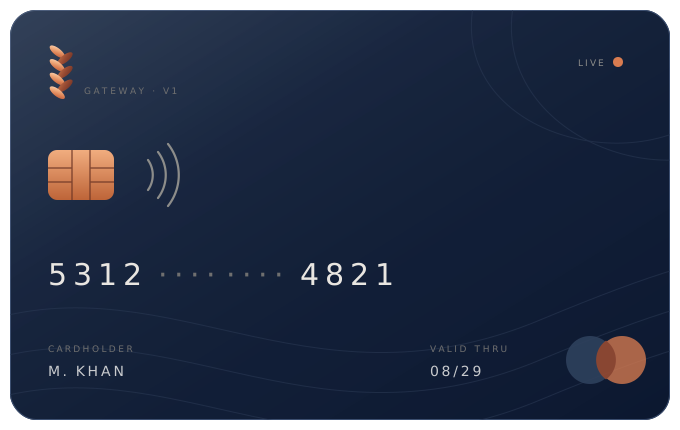
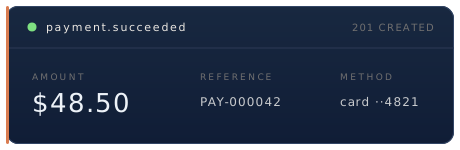
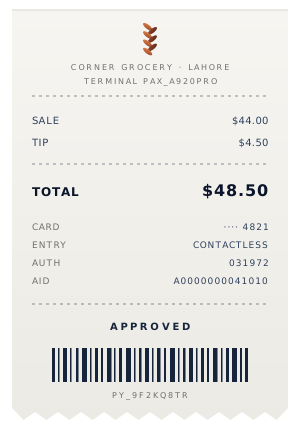
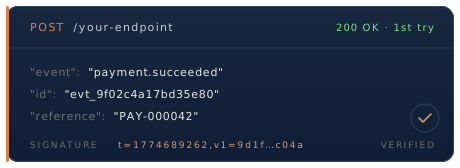
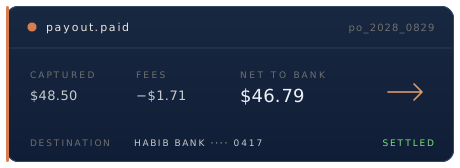
A single contactless tap at a counter, and every artifact it leaves behind — the same object at every depth, from the card to the line on your bank statement.
Keep scrolling
Capabilities
Six surfaces, one balance, one set of fees. Every one of them is a screen in the same dashboard — Payments, Subscriptions, Payment links, Terminals, Payouts and Disputes — so nothing you switch on arrives as a separate tool.
A hosted card field you drop into your checkout. Raw card data never reaches your servers, which is what keeps you in SAQ-A scope.
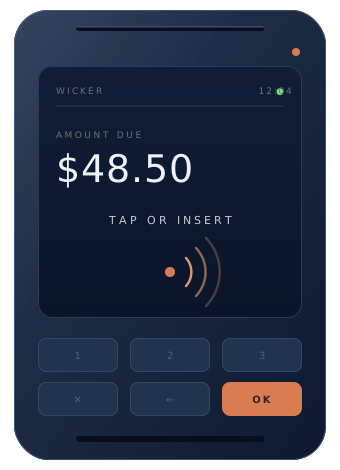
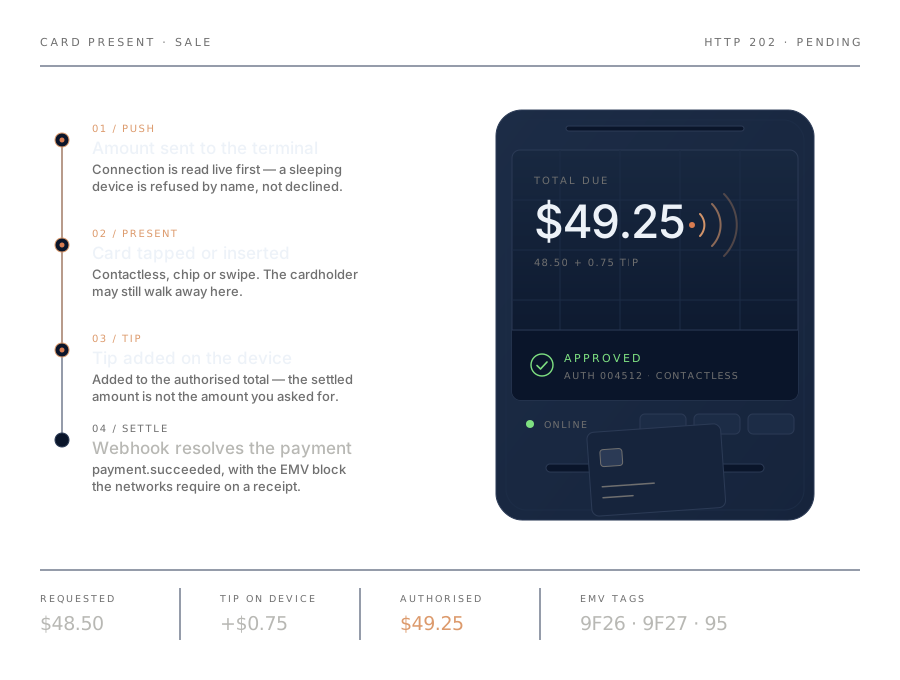
Register a card machine with the code on its screen, push an amount to it, and get the outcome back in the same call. Tips entered on the device are added to the authorized total, and the EMV block the networks require comes back with it.
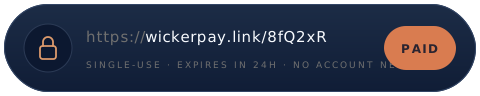
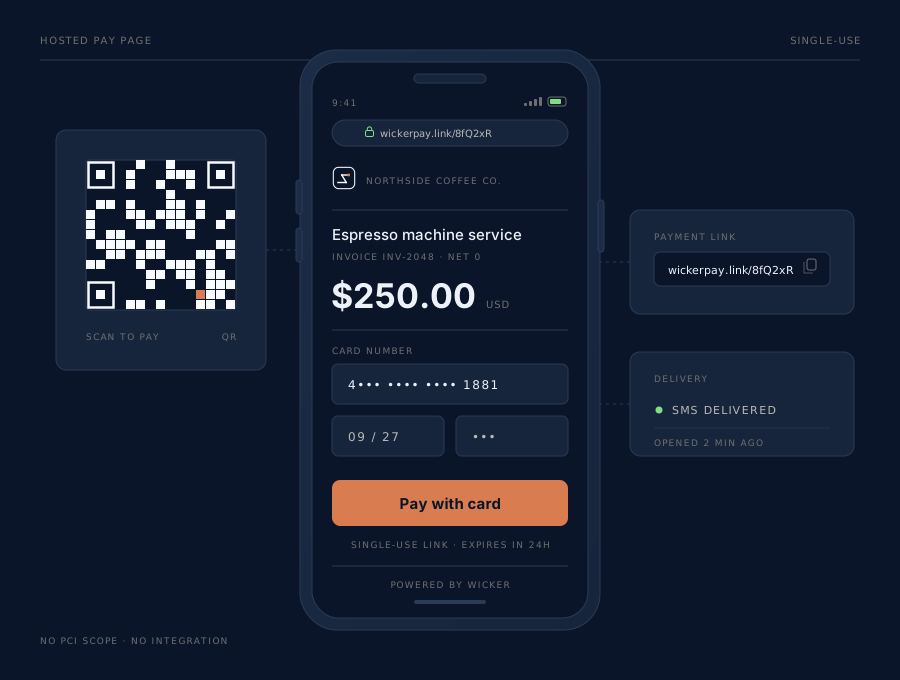
A page anyone with the address can pay on. No account, no session. Fixed or buyer-chosen amount, single-use or standing, with an expiry.
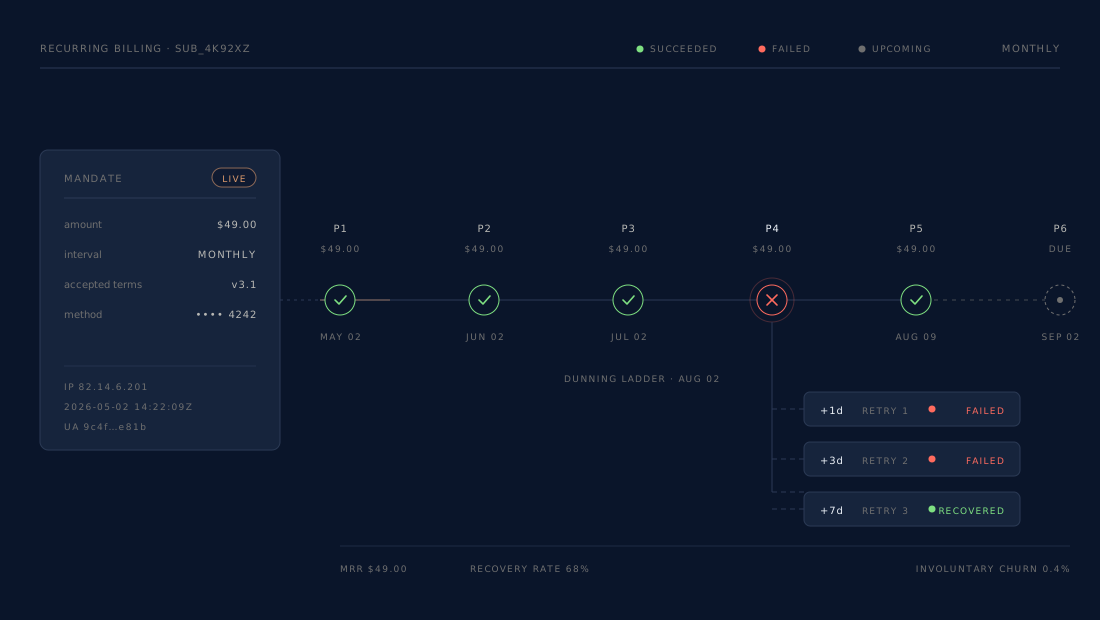
A mandate against a card you already hold. Nothing is charged when you create it; the biller collects, and a failed collection walks a four-attempt dunning ladder — with the subscription flagged past due the whole way — instead of failing silently.
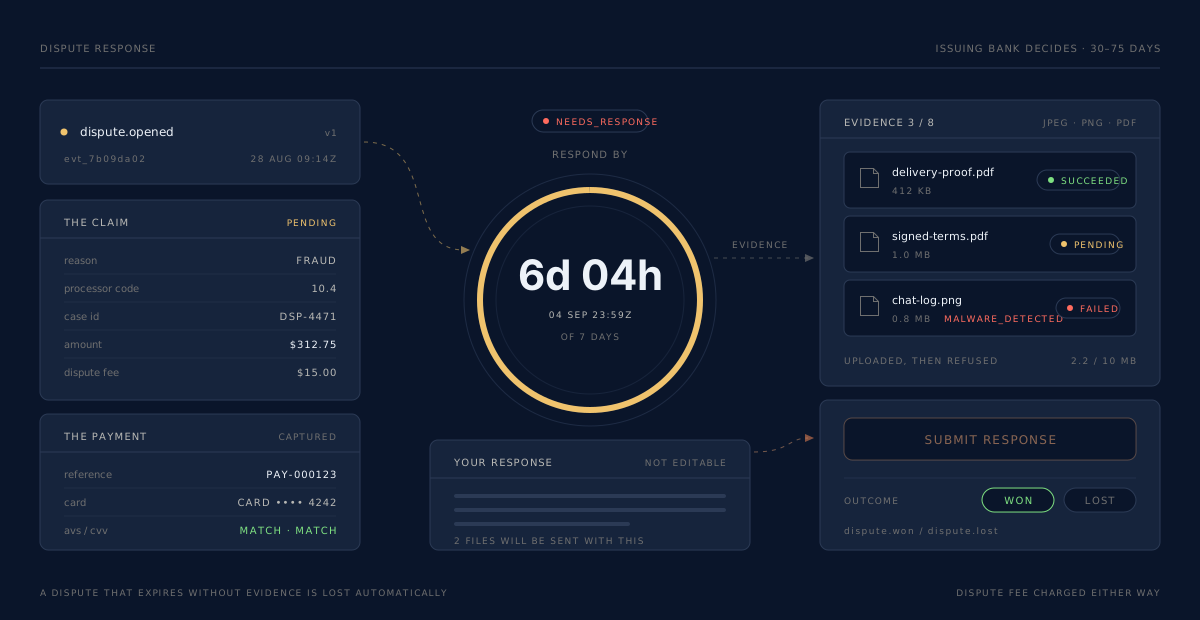
A chargeback arrives with a clock already running. Evidence uploads, deadline warnings and the outcome all land in one place — an unanswered dispute is forfeited, not judged.
Batches of settled payments, less our fees, paid to your bank account — every payment attributed to the batch that paid for it, and every batch reconciled to the money that arrived.
01 / Online
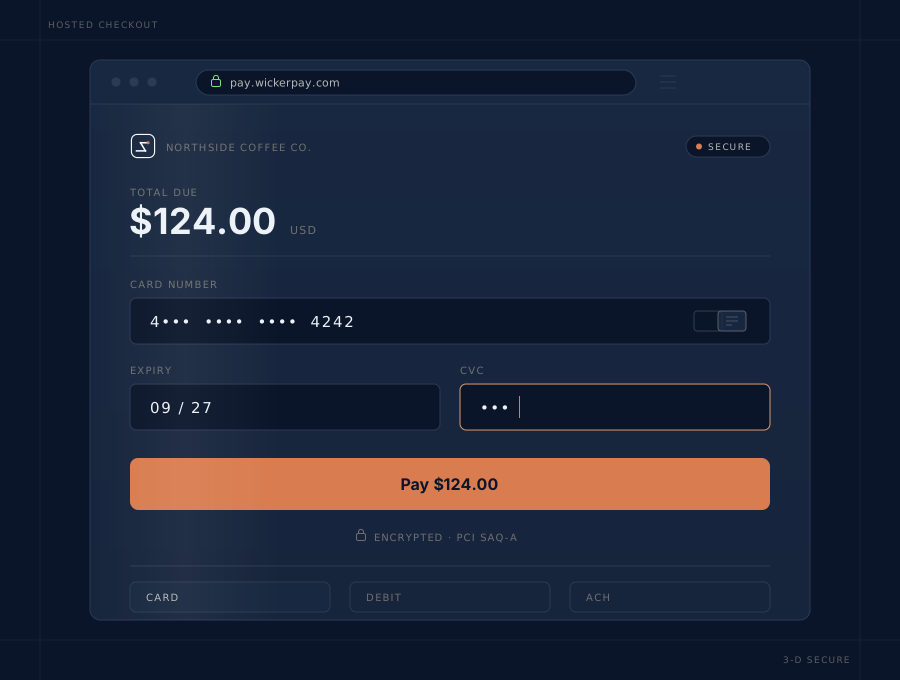
The card field is a hosted frame. You collect a single-use token, post it with an amount, and get a payment back. Nothing sensitive crosses your servers, so your PCI obligation stays at the smallest questionnaire there is.
02 / In person
A card-machine charge stays open while the customer taps, and the answer is the outcome: 201 paid, 402 not taken, 504 nobody presented a card. A sleeping device is refused by name rather than becoming a decline your customer reads as yours.
03 / Links
No integration, no account for the buyer. The token in the URL is treated as a credential rather than an id, a fixed link's price is read from our record so a buyer cannot underpay it, and a single-use link is spent by the first successful payment and says so to whoever opens it next.
04 / Recurring
A subscription is a standing instruction to charge a credential we already hold — which is why there is no card form when you create one. Nothing is charged at creation. The biller collects on schedule, and two billers waking on the same subscription cannot both charge it.
Terminals
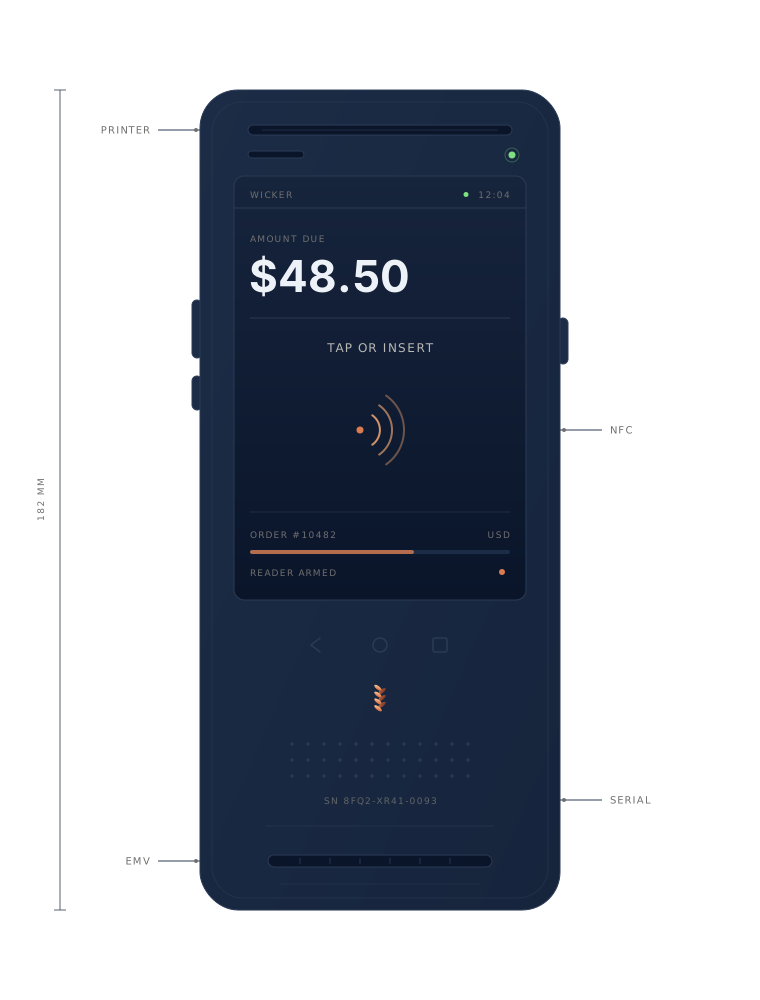
There is no serial-number form and no activation step. The terminal shows a
short code on its screen; you type it into the Terminals screen or
POST /api/v1/devices, and the processor answers with what the
hardware is and whether it is connected. From that moment it takes sales. A
sale sent to it waits — up to two minutes — while the customer taps, and the
answer is the outcome: paid, not taken, or nobody
presented a card. Every model below is driven the same way.
The money path
Step 01
The card is checked and the amount is held. Nothing has moved yet, and the hold expires if you never capture it.
Step 02
You claim the hold, in full or in part. A sale does both at once; an authorization waits for you.
Step 03
The networks move the funds. Card is fast; bank debits stay pending for days and can still be returned.
Step 04
The period is batched. Every payment gets its cost attributed, across every page of entries — not just the first.
Step 05
Net lands in your bank account, and a failure tells you something you can act on rather than something about our float.
Status
—
Captured
—
Fees
—
Net to bank
—
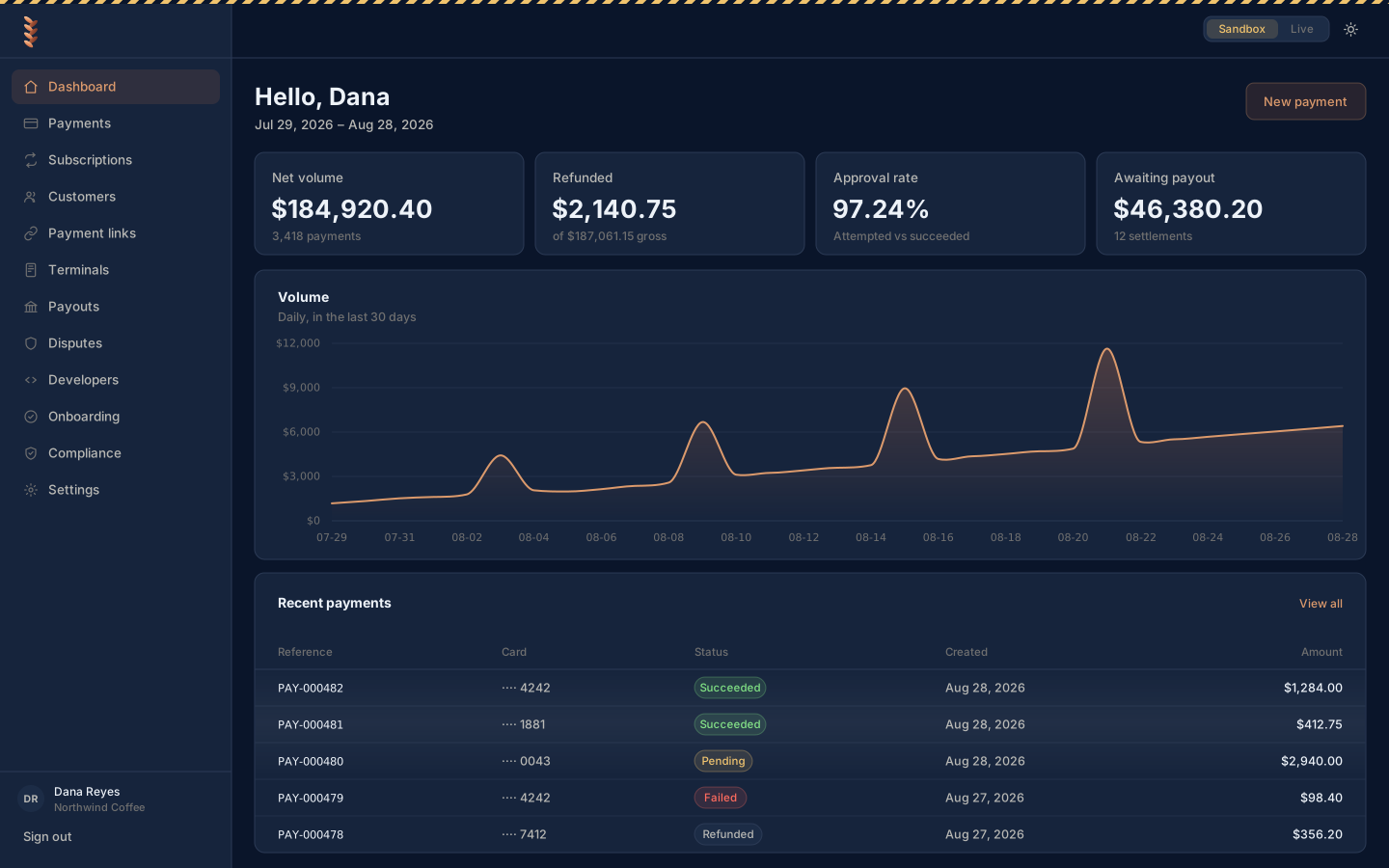
The dashboard
Roles that mean something, a Sandbox / Live switch that makes you type the word LIVE before it moves you, and a refund flow that will not let the same money go out twice.
Developers
Integer minor units, a mandatory idempotency key on anything that can move money, and an environment resolved from your credential rather than from a field somebody can typo.
amountMinor1050 is $10.50. Sending 10.50 is a 400, not a charge for eleven cents.
Idempotency-KeyRequired on create, capture, void and refund. A replay returns the original response byte for byte with Idempotent-Replay: true.
Never from a body, a query or a path — all of which the caller controls. A sandbox key cannot reach live data.
Not per IP, so your worker fleet behind one NAT is not sharing a budget with somebody else.
X-Gateway-Signature over the method, the path and query, and the raw bytes you sent. Each signature is good once, inside a five-minute window in either direction.
curl -X POST https://api.wickerpay.com/api/v1/payments \
  -H "Authorization: Bearer $WICKER_API_KEY" \
  -H "Idempotency-Key: $(uuidgen)" \
  -H "Content-Type: application/json" \
  -d '{
    "amountMinor": 1050,
    "currency": "USD",
    "token": "tok_5f3a9c21b7e04d18",
    "statementDescriptor": "BLUE DOOR CAFE",
    "storeInstrument": true
  }'
import { randomUUID } from 'node:crypto'
const res = await fetch('https://api.wickerpay.com/api/v1/payments', {
method: 'POST',
headers: {
'Authorization': `Bearer ${process.env.WICKER_API_KEY}`,
'Idempotency-Key': randomUUID(),
'Content-Type': 'application/json',
},
body: JSON.stringify({
amountMinor: 1050, // $10.50
currency: 'USD',
token: 'tok_5f3a9c21b7e04d18',
storeInstrument: true,
}),
})
const { status, data } = await res.json()import os, uuid, requests
res = requests.post(
"https://api.wickerpay.com/api/v1/payments",
headers={
"Authorization": f"Bearer {os.environ['WICKER_API_KEY']}",
"Idempotency-Key": str(uuid.uuid4()),
},
json={
"amountMinor": 1050, # $10.50
"currency": "USD",
"token": "tok_5f3a9c21b7e04d18",
"storeInstrument": True,
},
timeout=30,
)
payment = res.json()["data"]Events
You never receive a raw payload from our processing partner. Events come in Wicker's own shape, signed with your secret, so our processor never becomes part of your integration contract.
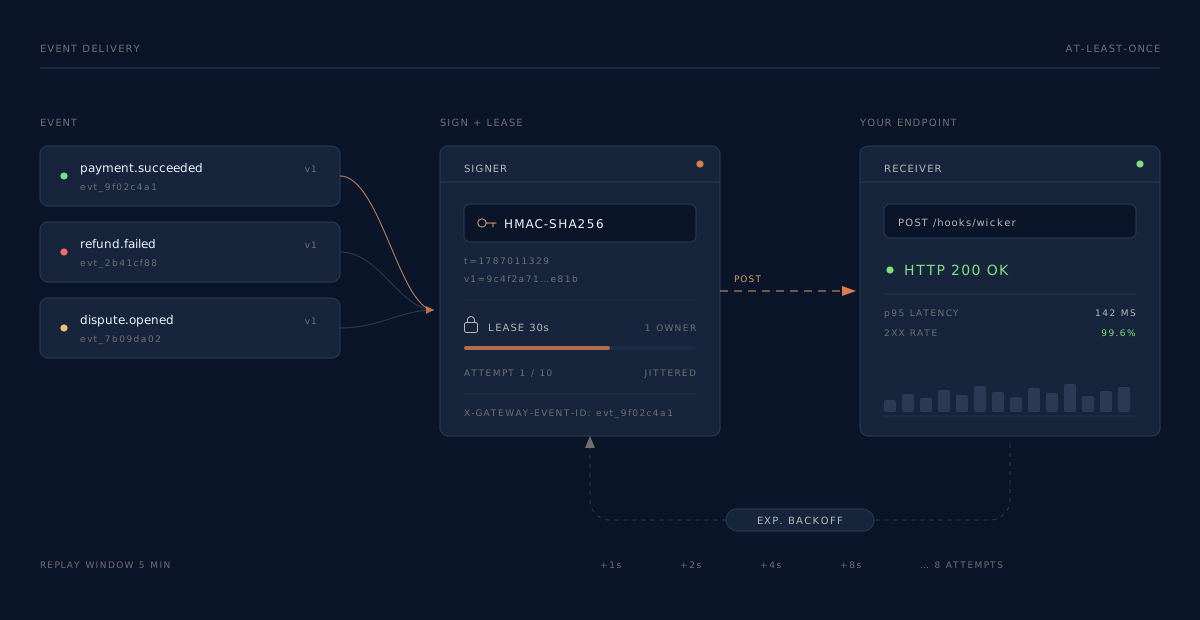
HMAC-SHA256Over <timestamp>.<raw body>, keyed with your webhook signing secret — compare it in constant time and refuse anything outside a five-minute window. For the 24 hours after you rotate that secret we sign with both the old one and the new one and send both in the header, so accept the request if any value matches.
X-Gateway-Event-IdDeduplicate on the event id. A slow batch must never let a second dispatcher send the same event twice unnoticed.
Anything that is not a 2xx is retried on an exponential schedule. Every attempt is listed under Developers ▸ Deliveries with its status code, how long it took and the body your own server returned.
Re-send any past delivery to your endpoint from that same Deliveries log while you are still building the handler.
Settlements
Fees are computed as decimals, and whether they round per transaction or once across the whole batch is a setting on your plan rather than something you inherit by accident. Either way, nothing is rounded twice. Every payment in a batch gets its cost attributed, including the ones past the first page of entries, which is the difference between a real margin and a batch that reads as pure profit forever.
Settlement objects in the docs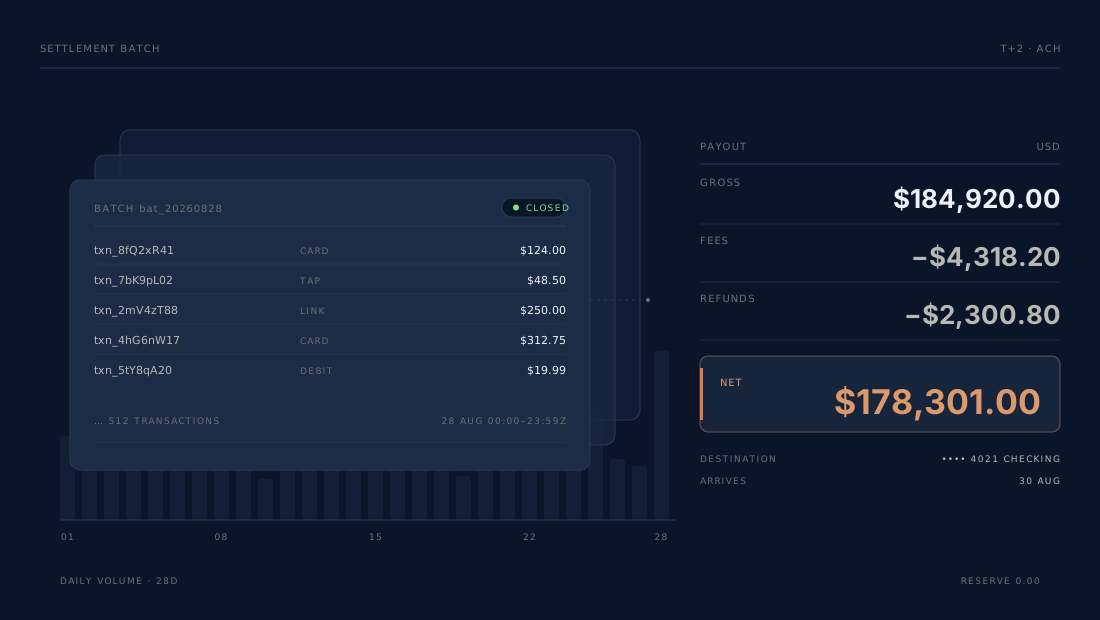
Payouts
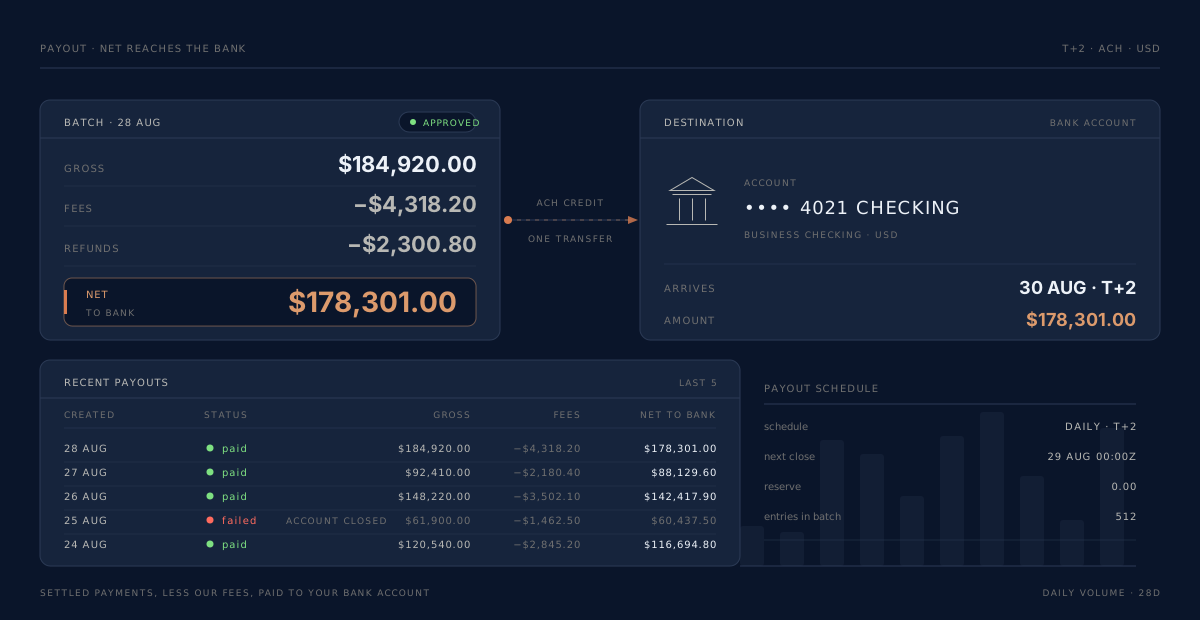
The Payouts screen shows every batch and what it became: gross in, fees and refunds out, and the net that reached the account. A failure tells you something you can act on rather than something about our float, and it arrives as an event as well as a row.
Disputes
A chargeback arrives with a deadline already running. Everything you need to answer it — the claim, the payment behind it, the evidence and the outcome — sits on one screen.
Failure states
Each of these is silent, costs real money, and is covered by a test that provokes it on demand.
The naive retry charges the cardholder twice. The key is held and the payment is recovered by its idempotency id instead of created again.
The merchant believes the customer was paid and the customer was not. The reservation is released so the refund can be re-issued rather than locking the money away.
Invisible to everyone until the deadline passes, at which point it is forfeited rather than judged. Deadlines are polled, not merely awaited.
Both charge the same period — a chargeback, a brand fee and a customer who cancels. A unique index rejects the second before anything is charged.
Catching up would charge a monthly customer three times in one minute. Every charge is owed; every charge is a dispute. Collection is bounded to one period per cycle.
Most payments never get a cost attributed and, because an approved batch is never revisited, they read as profit forever. Every page is walked to the end.
It looks fine on the counter and refuses every sale. The connection is shown with the age of the reading, re-read on every open, and a sale sent to it is refused by name.
Two minutes with no card and the request is cancelled at the terminal — but the tap may have landed. The payment is recorded unknown, not failed, and the poller recovers it rather than letting the till ring it twice.
Trust
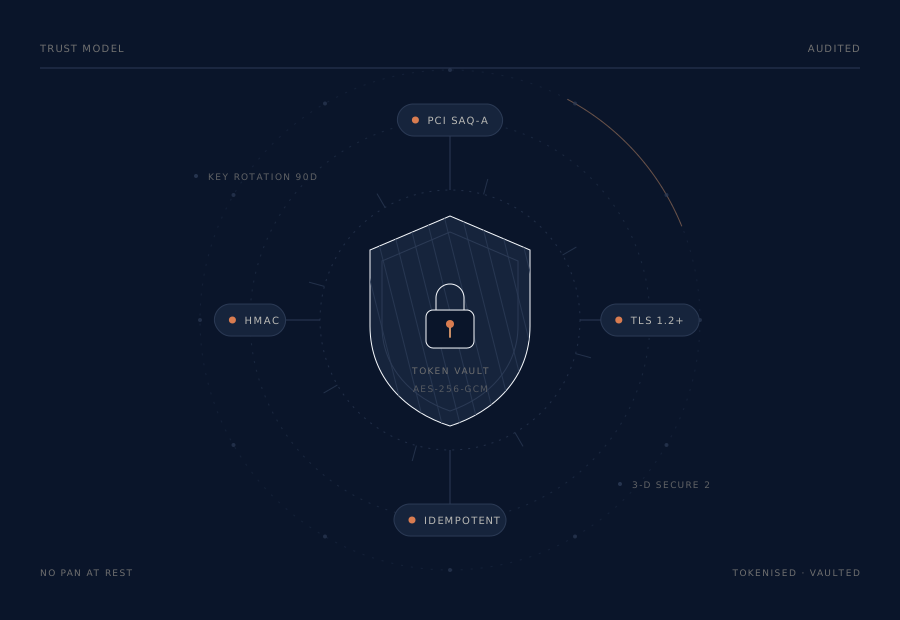
The card field is a hosted frame, so the primary account number never touches your servers and your obligation stays at SAQ-A — the shortest questionnaire there is. Secrets are hashed, never stored in the clear, and shown to you exactly once. The annual PCI attestation the card networks still require is signed in the dashboard, under Compliance, and we warn you before it is due.
Going live
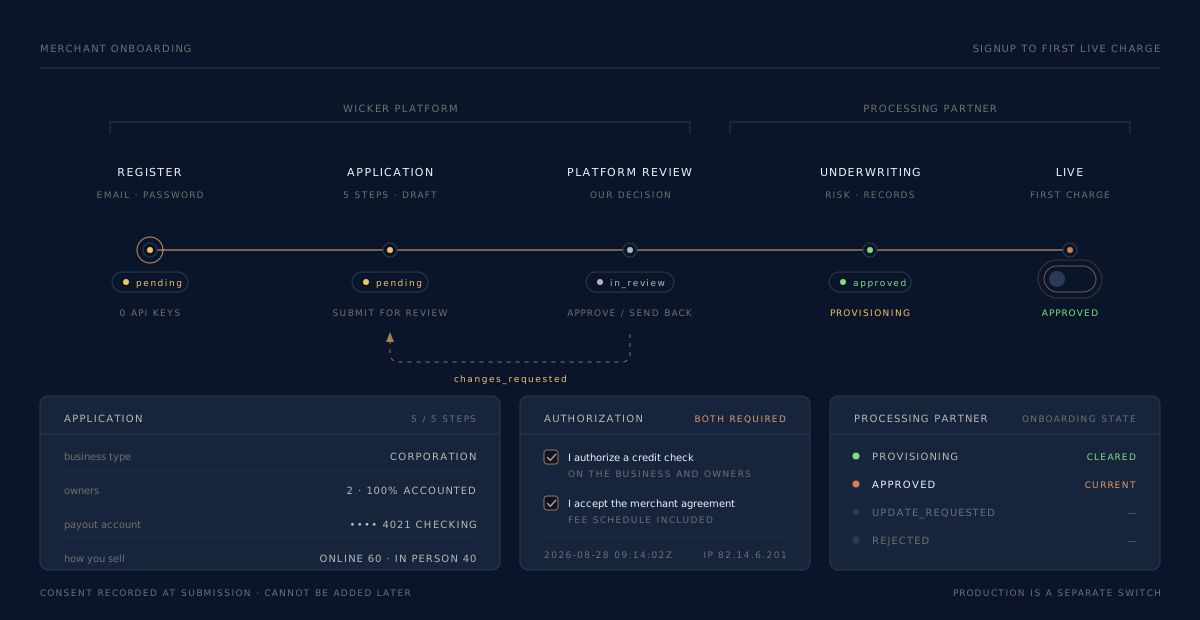
Ours, and our processing partner's. They are separate, they happen in that order, and the dashboard shows you which one you are waiting on.
Pricing
The terms that applied the moment a payment was taken are stored on the payment. Change a plan and future charges move; past ones do not, and your reports can still explain both.
For a business taking its first card payment this month.
2.9%+ 30¢
Per successful card charge
For a business with a till, a queue and a card machine.
2.6%+ 15¢
In store · 2.9% + 30¢ online, invoices, links and API
For volume that has outgrown a single blended number.
IC+ 0.35% + 8¢
Interchange passed through at cost
The standard offer is 2.6% + 15¢ per in-store payment and 2.9% + 30¢ per online, invoice, payment-link or API payment, plus $5 a month per merchant account, with no setup fee. The Merchant Terms and the merchant agreement you accept are what apply to your account; other rates shown are illustrative and are set per merchant on approval. Recurring billing is available in the sandbox only for now. Chargebacks and ACH returns are priced separately and itemized on the settlement they belong to. Fees for failed and voided authorizations are off by default; if a plan turns any of them on, they are disclosed on the plan before you are charged one.
Questions
201 means they paid; 402 means the sale did not
happen and the record says why; 504 means nobody presented a card,
the payment is unknown, and you poll it rather than ringing the
sale again, because a tap in that same moment is recovered.
storeInstrument: true on the first
charge and the card is kept on file against the customer; read its
paymentInstrumentId back from the customer and charge that later. The
card number itself never reaches your servers — the field is a hosted frame,
which is what keeps your PCI obligation at SAQ-A.
X-Gateway-Event-Id —
that is the one duplicate you cannot recover from downstream. If the endpoint
keeps failing we stop sending to it and say so at the top of the screen.
Sandbox costs nothing and needs no card. Register, work through the five-step application, and once a reviewer approves it — usually one to two business days — your sandbox opens and you can take a test payment.